The SABRENT 10-Port Powered USB 3.0 Hub review is for people who need a tidier way to connect multiple peripherals and charge a few mobile devices from one desktop hub.
Its mix of USB data ports, dedicated charging ports, individual switches, and an included power adapter suits a stationary setup with several devices in regular rotation.
SABRENT 10-Port Hub Review Summary
The quick verdict
6,000+ ratings
Read Amazon ReviewsSABRENT 10-Port Powered USB 3.0 Hub
A practical fit for desktop users who need several USB connections, individual port control, and separate charging ports.
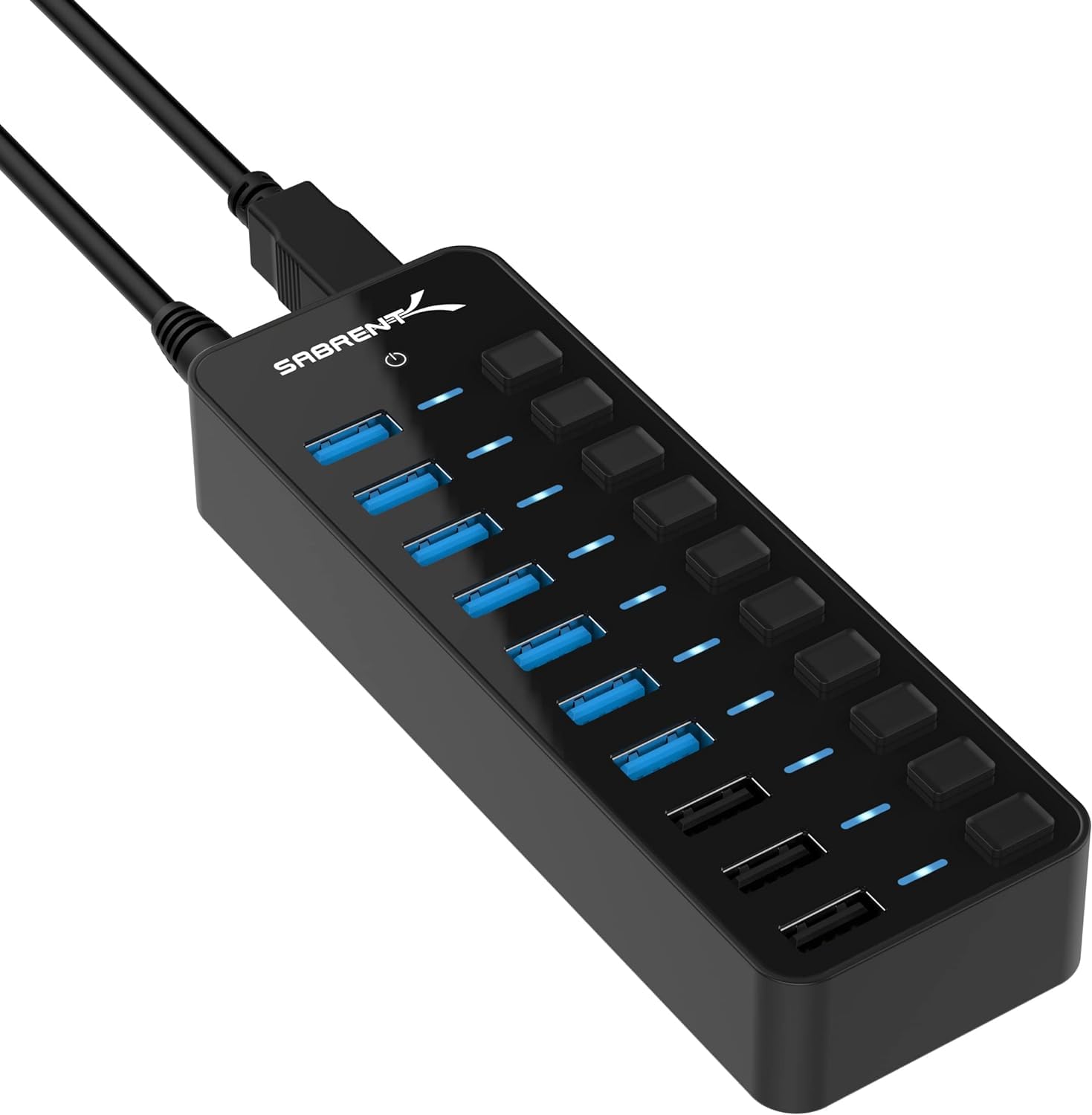
- Connects up to seven USB 3.0 data devices, such as drives, peripherals, and accessories.
- USB 3.0 data transfer speeds reach up to 5Gbps.
- Three dedicated charging ports automatically detect connected devices and provide up to 2.4A per port.
- Includes a 60W, 12V/5A power adapter.

Pros
- Combines multiple data connections and dedicated device-charging ports in one hub.
- Individual switches allow ports to be turned on or off without unplugging devices.
Consider before buying
- The hub provides up to seven USB 3.0 data connections; buyers needing more should compare hubs with a higher data-port count.
- The 2.4A charging figure is a per-port maximum, so charging expectations should account for the connected device and its requirements.
Read the full review summary
This hub combines up to seven USB 3.0 device connections with three dedicated charging ports, giving a desk setup room for drives, peripherals, and mobile devices.
The included 60W, 12V/5A adapter is intended to power the hub, while individual switches and LED indicators let you control and check each port separately.
It is best suited to someone who values port count and hands-on control more than a compact travel hub.
The design also makes sense when charging phones or tablets alongside connecting computer accessories, though buyers should plan around the available seven data connections and confirm that their host device has a compatible USB connection.
The buying factors
SABRENT 10-Port Hub Scorecard
Editorial scores reflect listed features and buyer fit; they are not laboratory measurements or customer ratings.
Data-port capacity
Up to seven USB 3.0 devices can connect, a useful capacity for a desk with several peripherals and drives.
Charging convenience
Three dedicated charging ports can deliver up to 2.4A per port for compatible USB-powered devices.
Port control
A separate switch and LED indicator on each port provide clear, direct control.
Power provision
The included 60W adapter is designed to support the hub across its ports.
Transfer capability
USB 3.0 supports transfer speeds up to 5Gbps, subject to the connected devices and setup.
Setup simplicity
Plug-and-play operation and stated Windows, macOS, and Linux compatibility reduce setup steps.
Key Features and Specifications of SABRENT 10-Port Hub
- Connects up to seven USB 3.0 data devices, such as drives, peripherals, and accessories.
- USB 3.0 data transfer speeds reach up to 5Gbps.
- Three dedicated charging ports automatically detect connected devices and provide up to 2.4A per port.
- Includes a 60W, 12V/5A power adapter.
- Each port has an individual power switch and LED indicator.
- Works with Windows, macOS, and Linux without requiring drivers.
Pros and Cons of SABRENT 10-Port Hub
Pros
- Combines multiple data connections and dedicated device-charging ports in one hub.
- Individual switches allow ports to be turned on or off without unplugging devices.
- LED indicators make each port's power status easier to check.
- The included power adapter gives the hub its own power source.
Consider before buying
- The hub provides up to seven USB 3.0 data connections; buyers needing more should compare hubs with a higher data-port count.
- The 2.4A charging figure is a per-port maximum, so charging expectations should account for the connected device and its requirements.
- A powered hub adds an adapter and cable to the desk, making this design better suited to a fixed workspace than a minimalist travel kit.
Who Should Buy SABRENT 10-Port Hub?
Good fit
Choose the SABRENT 10-Port Hub if your desk routinely needs several USB connections and you want to switch individual ports off when devices are idle.
The separate switches and LEDs are especially useful when a device does not need to stay connected or powered throughout the day.
It is also a sensible option if you want charging ports alongside computer data connections.
Three dedicated charging ports can handle compatible phones, tablets, or other USB-powered devices, while up to seven USB 3.0 connections remain available for peripherals and storage.
Before buying, count the devices you expect to use at once and distinguish data connections from charging needs. Check the host computer's available USB connection and consider whether the included power adapter fits the layout of your desk.
Who should skip it
Look elsewhere if your setup needs more than seven USB 3.0 data connections at once, or if you want a small hub primarily for carrying in a bag.
The adapter-powered design is most useful where the hub can remain installed on a desk.
If every connected device must share one particular charging behavior, check that device's requirements against the hub's up-to-2.4A-per-port charging specification before choosing it.
How the SABRENT 10-Port Hub fits a busy desk
Separate data and charging roles
The hub's seven USB 3.0 data connections and three dedicated charging ports serve related but distinct jobs.
That arrangement can keep a desk's storage and peripherals connected while leaving dedicated ports for mobile devices, but buyers should count each type separately when deciding whether the layout matches their needs.
Port switches make device control practical
A switch and LED for every port bring control to the hub itself.
You can turn an individual connection off without removing its cable, and the indicator offers a quick visual cue about port status; this is handy when several devices stay plugged in between tasks.
A powered format favors a settled setup
The 60W adapter gives the hub a separate power source, and the product is designed to support the ports even when several devices are connected.
In practice, that makes the unit a better match for a desk where an adapter can stay plugged in than for someone prioritizing minimal carry weight and fewer cables.
Set realistic expectations for transfer and charging
USB 3.0 transfer speeds are up to 5Gbps, while each charging port is specified for up to 2.4A.
Those are maximum figures, not guarantees for every device or task, so consider the capabilities of the host, cable, and connected device when speed or charging time is central to your decision.
Alternatives to SABRENT 10-Port Hub
USB Hubs alternative
1,000+ ratings
Read Amazon ReviewsSABRENT 16-Port USB 3.0 Data Hub and Charger
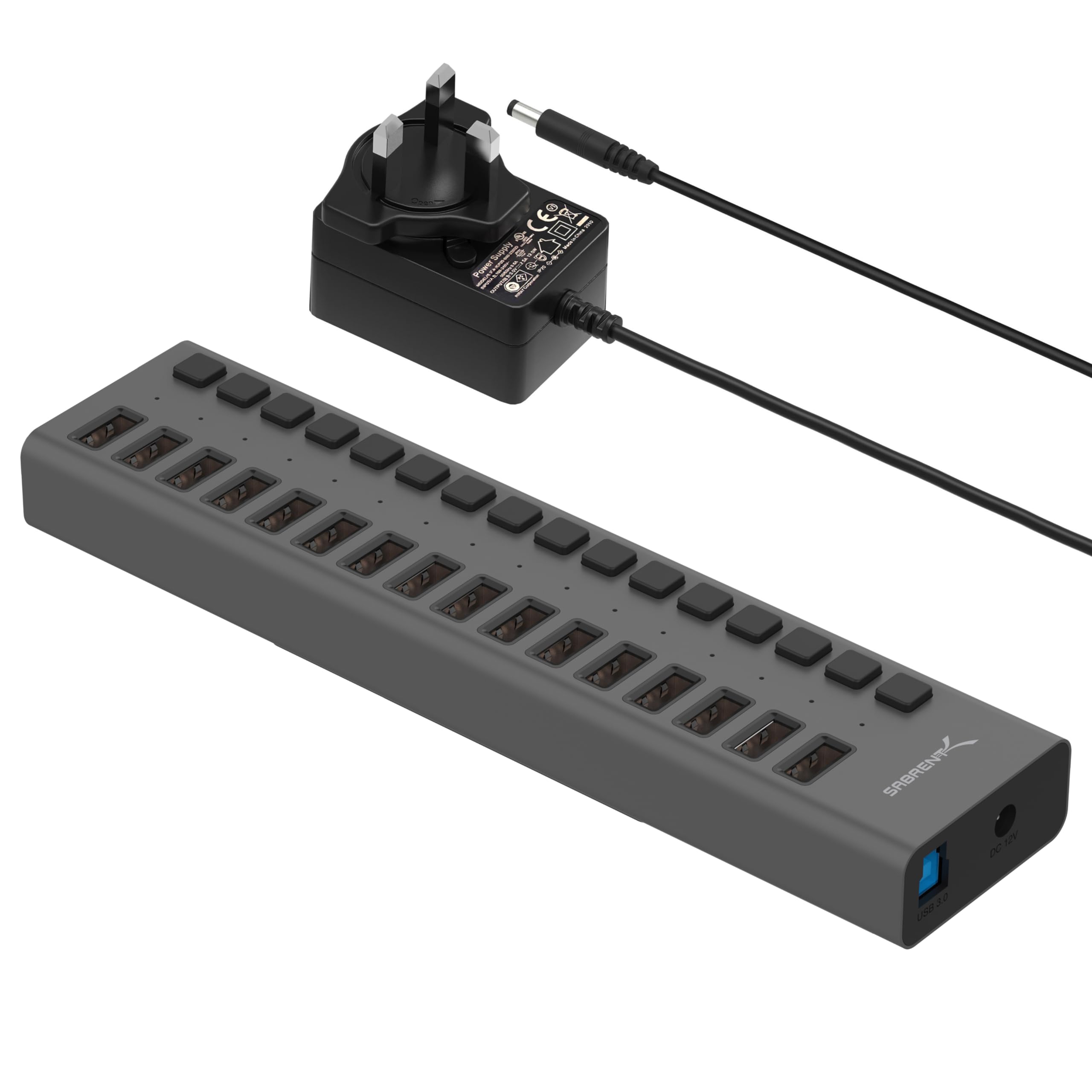
Consider the 16-port model if your priority is connecting more data devices at once. Choose the 10-Port Hub if three dedicated charging ports matter more than having a larger number of USB data connections.
- This 16-port model provides 16 USB 3.0 downstream ports, individual blue LED indicators, and transfer speeds up to 5Gbps; the supplied description does not specify dedicated charging ports.
- The SABRENT 10-Port Hub combines up to seven USB 3.0 data connections with three dedicated charging ports and individual switches.
USB Hubs alternative
188,000+ ratings
Read Amazon ReviewsSABRENT USB-C 6-Port Hub & M.2 SSD Dock
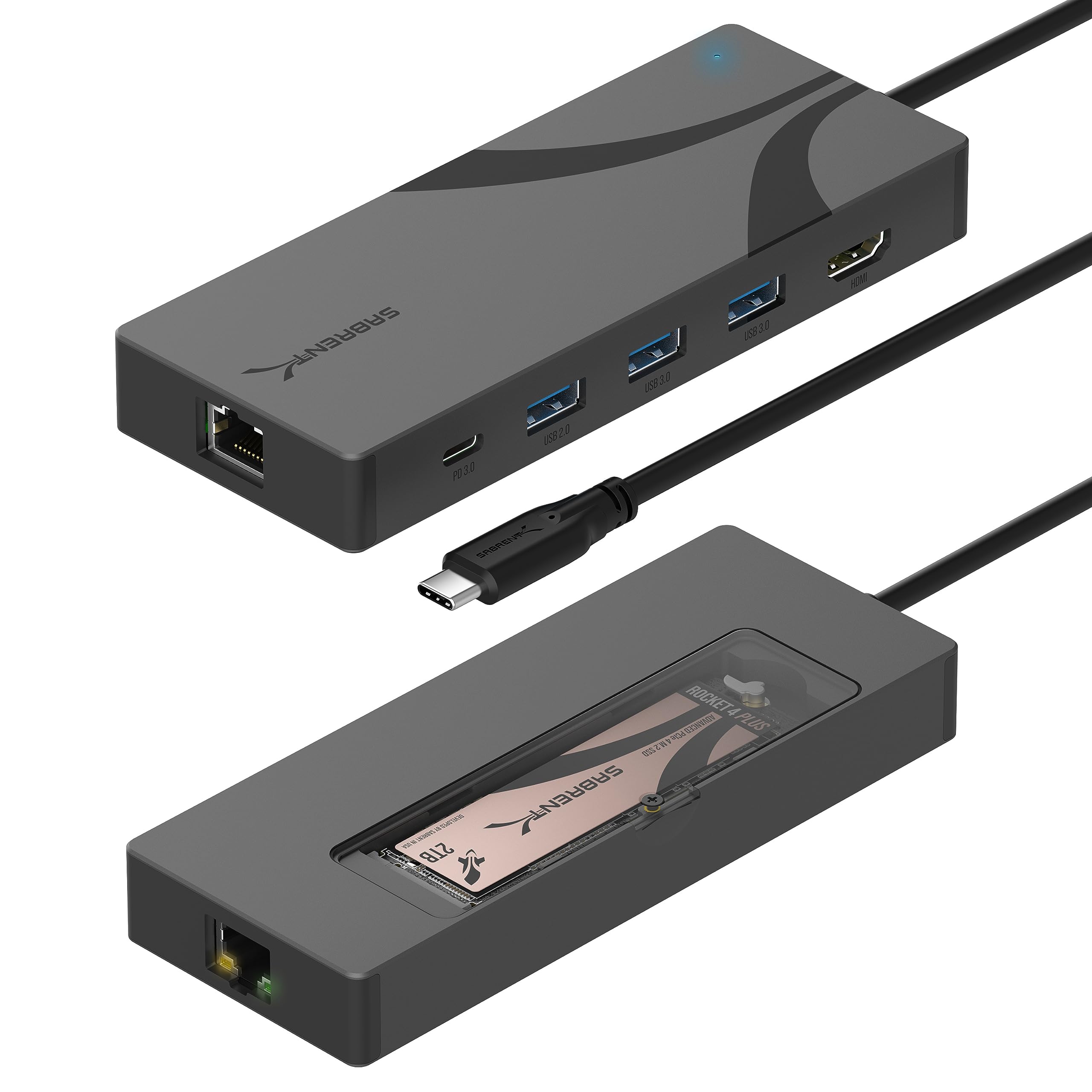
The USB-C dock is a better fit for someone who wants a compact laptop connection combining storage, display, and wired networking, provided the host supports DisplayPort Alt Mode for video.
The 10-Port Hub is the more direct choice for a desktop setup needing more USB connections and built-in per-port switches.
- This six-port USB-C hub includes an M.2 SSD enclosure, HDMI output up to 4K at 60Hz, Gigabit Ethernet, and up to 90W USB Power Delivery pass-through when paired with a separate USB-C charger.
- Its M.2 slot supports specified 2242, 2260, and 2280 drives at up to 5Gbps.
- The SABRENT 10-Port Hub is a powered desk hub with individual port switches, three dedicated charging ports, and up to seven USB 3.0 data connections.
Is SABRENT 10-Port Hub Worth It?
The SABRENT 10-Port Powered USB 3.0 Hub is worth considering for a desk with several peripherals, storage devices, and mobile devices to charge.
Its seven USB 3.0 data connections, three dedicated charging ports, included power adapter, and individual switches make it a flexible central connection point.
Buy it if that combination matches your device count and you value direct control over each port.
Check your host connection and charging needs first, and consider a higher-capacity data hub if you routinely need more than seven USB data connections.
Your review at a glance
6,000+ ratings
Read Amazon ReviewsSABRENT 10-Port Powered USB 3.0 Hub
A practical fit for desktop users who need several USB connections, individual port control, and separate charging ports.
- Connects up to seven USB 3.0 data devices, such as drives, peripherals, and accessories.
- USB 3.0 data transfer speeds reach up to 5Gbps.
- Three dedicated charging ports automatically detect connected devices and provide up to 2.4A per port.
- Includes a 60W, 12V/5A power adapter.